Nextcloud is a cloud you run yourself: files and sync, calendar, contacts, shared folders, and optional Talk chat with calls. This guide installs it the official way, Nextcloud All-in-One, on a clean Ubuntu server. Docker comes from Docker’s own documentation, and the screenshots come from Nextcloud’s Linux guide.
If you want the stack installed for you, that is the Nextcloud AIO setup service: Docker, domain, HTTPS, files, calendar, and the components you pick. The VPS and the domain are paid to the provider. Root access stays with you.
What Nextcloud is
Nextcloud is open-source software. After installation you have your own address, your own users, and a disk on your VPS. Desktop and phone clients from nextcloud.com sync folders with that server, not with a consumer cloud account.
All-in-One (AIO) is the official Docker install. One master container starts Nextcloud, the database, the cache, and, if you enable them, office editing in the browser, Talk, file previews, antivirus, and backups. The component list is in the interface. The stack is described in the Nextcloud All-in-One repository.
This is not a messenger with nothing stored on the server. Files and Talk history sit on a disk you administer. That makes Nextcloud closer to a shared office drive than to SimpleX, which does not keep chat contents on the server.
Why a company keeps files on its own server
A small team usually does not need another personal drive per employee. It needs a place where a contract, a quote, and scans live in a department folder. Nextcloud is that place: group folders, share links with a password or an expiry, and file versions when someone overwrites a document.
- Company files on a server the company rents, not in an account opened with someone’s private email.
- A shared calendar and address book on the same host. People can use the Nextcloud client or CalDAV without mixing work events into a personal cloud calendar.
- Talk for chat and calls on your domain, so a project thread is not stuck in a personal messenger that leaves with the employee.
- Browser documents if you enable Nextcloud Office (Collabora). Several people can edit, and the file stays in your folder.
- The administrator creates accounts and can disable one when someone leaves.
The limit is plain. Whoever has root on the server can read files on the disk. Nextcloud can encrypt data, but that disables features. The official setup screen says Imaginary previews are incompatible with server-side encryption. An office usually wants folder permissions and a normal login more than a mode that cannot preview a PDF.
A server abroad when privacy matters
The same AIO install works on a VPS in a country you choose. The point, if you do not want an archive inside a large cloud account, is that files, calendar, and contacts are not tied to a phone number and an advertising profile. Clients talk to your server.
This is not anonymity. The host knows the machine is yours, and anyone with disk access can read the files unless you encrypted them. A server in another country changes where the hardware sits. It does not make you invisible. Keep the AIO passphrase and the Nextcloud admin password outside the chat where you discuss the server.
If you do not want a public server at all, Syncthing syncs folders between your devices without a public IP and without accounts. If you want chat with no message history on the server, that is SimpleX, not Talk. If you want rooms and no file cloud, Matrix is closer. Nextcloud is the choice when you want files, calendar, and optional chat in one install.
Some hosts offer a Nextcloud image in the server-create screen. That image is a different path: the panel installs Nextcloud for you, and it is not the AIO master described below. Use the image for a quick cloud. Use AIO when you want to pick Talk, office, and the other containers yourself.
What you need before installing
- A clean Ubuntu 24.04 or 22.04 LTS, 64-bit. Nextcloud’s Linux guide asks for at least 4 GB of RAM and 2 CPU cores. Talk and office need more. The master container prints the extra memory next to each option.
- A public IPv4 address and a domain. The A record must point at that address before you submit the domain. A normal HTTPS setup and the clients depend on the name.
- Free ports 80 and 443. Talk also needs 3478/tcp and 3478/udp. The setup interface listens on 8080 while you configure it.
- No other web server on the machine. In the default mode AIO issues the certificate and terminates HTTPS itself. Putting it behind another nginx with this command will not work. The interface links to the reverse-proxy documentation for that case.
- Before you open ports, walk through the VPS security checklist: SSH keys, updates, and a separate user.
Install Docker Engine
The packages and the repository below are from Install Docker Engine on Ubuntu. For a server that will hold real files, use the apt repository. The get.docker.com convenience script on that same page is for testing and development: it installs the latest stable release without asking and is not meant to upgrade a machine that is already in use.
The install pulls the engine and the components Docker ships with it: docker-ce and docker-ce-cli are the service and the docker command, containerd.io is the runtime, docker-buildx-plugin builds images, and docker-compose-plugin is Compose. AIO itself does not need Compose. It starts with one docker run. The plugin is still part of the official set.
sudo apt update
sudo apt install ca-certificates curl
sudo install -m 0755 -d /etc/apt/keyrings
sudo curl -fsSL https://download.docker.com/linux/ubuntu/gpg -o /etc/apt/keyrings/docker.asc
sudo chmod a+r /etc/apt/keyrings/docker.asc
sudo tee /etc/apt/sources.list.d/docker.sources <<EOF
Types: deb
URIs: https://download.docker.com/linux/ubuntu
Suites: $(. /etc/os-release && echo "${UBUNTU_CODENAME:-$VERSION_CODENAME}")
Components: stable
Architectures: $(dpkg --print-architecture)
Signed-By: /etc/apt/keyrings/docker.asc
EOF
sudo apt update
sudo apt install docker-ce docker-ce-cli containerd.io docker-buildx-plugin docker-compose-plugin
sudo docker run hello-world
hello-world should print a greeting and exit. If the service is not running, the same Docker page has sudo systemctl start docker. Commands without sudo fail until you add your user to the docker group. On a single-admin VPS that step is optional.
One warning from that page: ports Docker publishes bypass ufw and firewalld. Rules for those ports belong on the DOCKER-USER chain. Details are in Packet filtering and firewalls. Do not assume ufw deny closed port 8080 until you have checked from another machine.
Start Nextcloud AIO
The master container command is from the current nextcloud/all-in-one readme. Do not rename the container nextcloud-aio-mastercontainer or the volume nextcloud_aio_mastercontainer. AIO updates depend on those names. The Docker socket is mounted read-only so the master can manage the other containers.
sudo docker run \
  --init \
  --sig-proxy=false \
  --name nextcloud-aio-mastercontainer \
  --restart always \
  --publish 80:80 \
  --publish 8080:8080 \
  --publish 8443:8443 \
  --volume nextcloud_aio_mastercontainer:/mnt/docker-aio-config \
  --volume /var/run/docker.sock:/var/run/docker.sock:ro \
  ghcr.io/nextcloud-releases/all-in-one:latest
Port 80 is used when the certificate check reaches your domain. Port 8080 is the setup interface with a self-signed certificate. Port 8443 is the same interface with a valid certificate, once ports 80 and 8443 are open and the domain already points at the server. For the first visit open the interface by IP: https://the-server-ip:8080. Do not use the domain on port 8080. The official guide warns that HSTS can block that URL later.
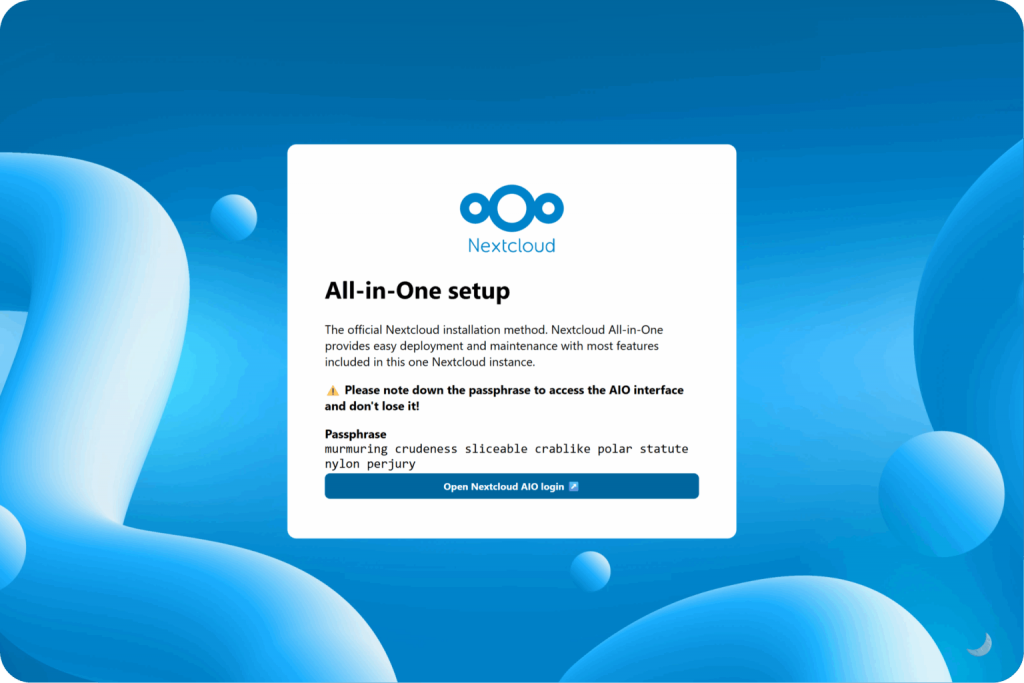
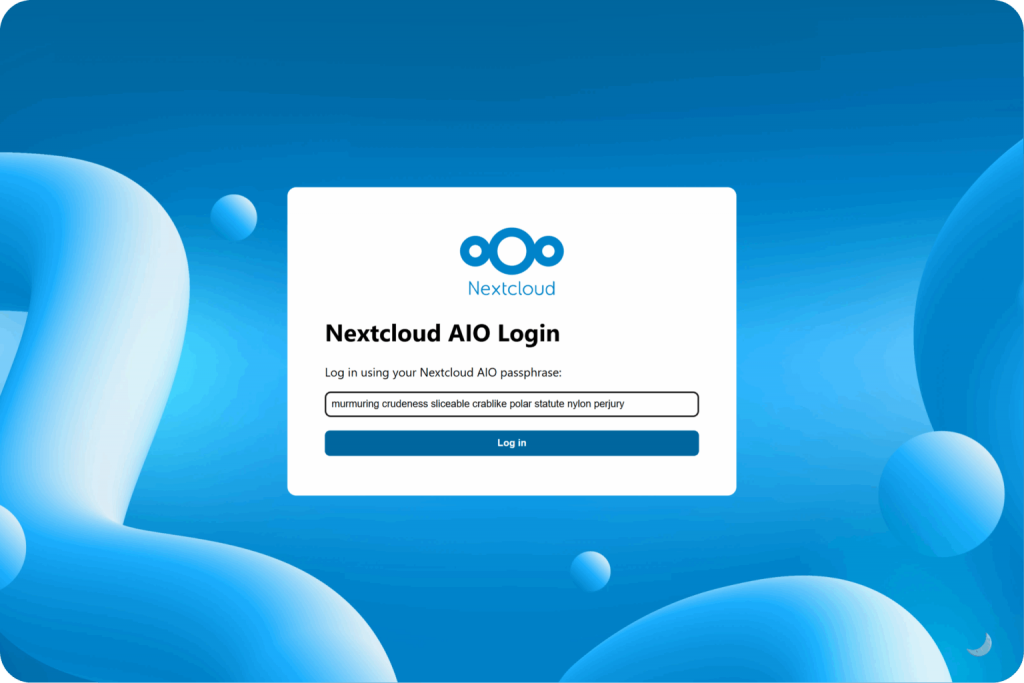
The browser will complain about the certificate. That is expected on port 8080. The first screen shows a passphrase. Write it down somewhere other than the server. You cannot get back into the master interface without it.
Domain, optional containers, and the first login
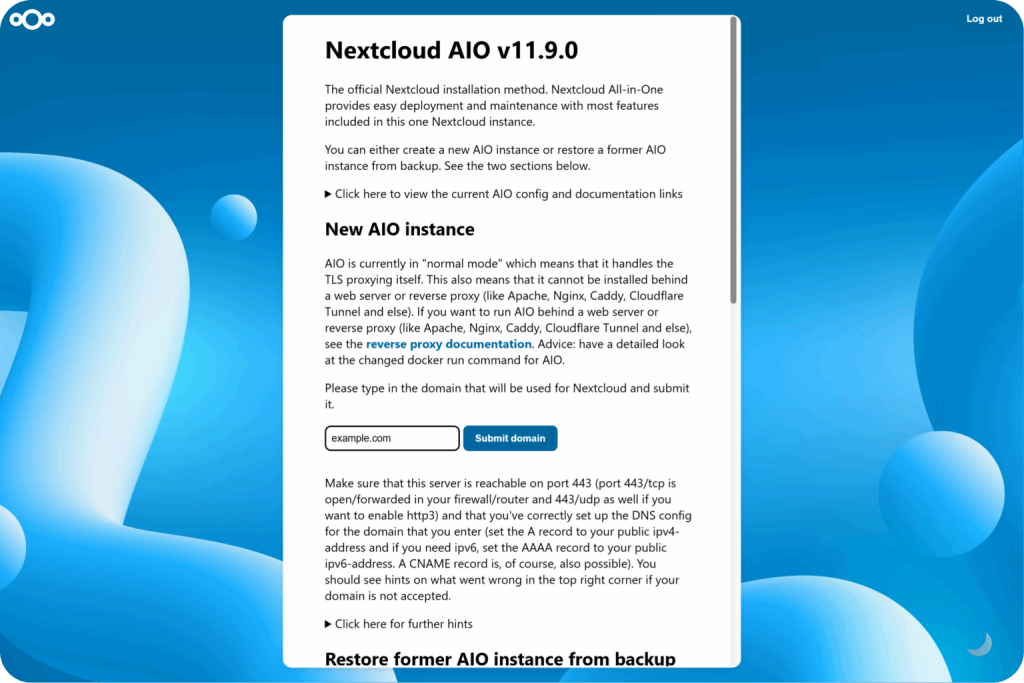
After login the master asks for the domain where the cloud will live. The A record should already point at the server’s public IPv4 address. Add an AAAA record if you use IPv6. The master accepts the domain only when the server answers on 443/tcp. It also mentions 443/udp if you want HTTP/3. If the name is rejected, the interface shows why.
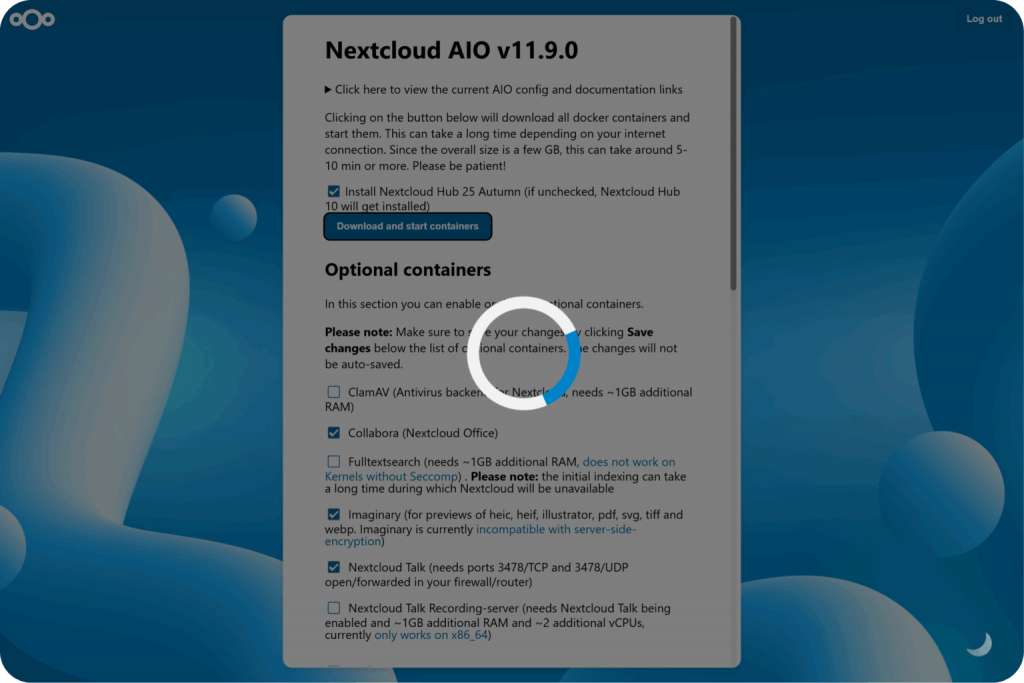
Optional containers come next. You can change the set only while containers are stopped, and you must save the selection before the download starts. On the official screenshots the list includes:
- Nextcloud Talk for chat and calls. Forward 3478/tcp and 3478/udp.
- Collabora (Nextcloud Office) for documents in the browser.
- Imaginary for HEIC, PDF, SVG, and other previews. It does not work with server-side encryption.
- ClamAV to scan uploads. The master asks for about 1 GB of extra RAM.
- Full text search, also about 1 GB, and it does not run on kernels without seccomp. The first index makes Nextcloud unavailable for a while.
- Talk recording, which needs more RAM and x86_64.
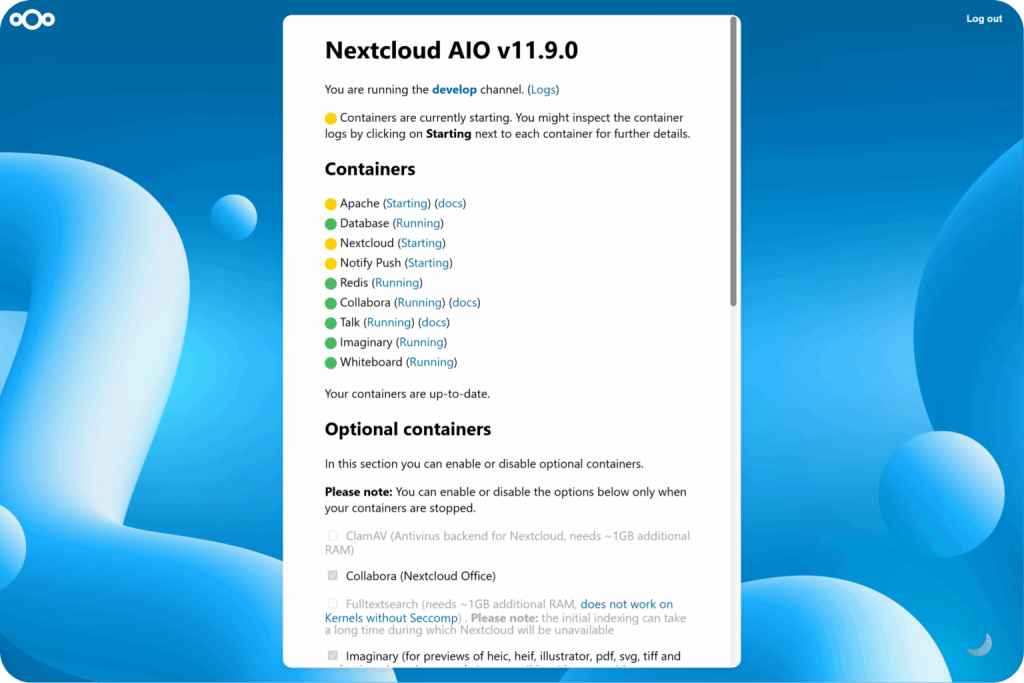
When the containers are up, the list shows Apache, the database, Nextcloud, Redis, and whatever you enabled. Yellow means still starting, green means running. The initial Nextcloud admin password is shown separately from the AIO passphrase. Save both. After that the cloud opens on your domain with a normal certificate.
Updates and backups
Do not upgrade this Nextcloud with apt upgrade inside a container. The AIO interface pulls new images and restarts the containers. That is why the master container name and its volume must stay as they are.
AIO backups use Borg. Turn that on once other people’s files are in the cloud. A copy on the same disk does not survive a dead disk. Restoring onto a new AIO instance is a separate step in the master interface.
If you do not want to install it yourself
The Nextcloud service is an AIO install: Docker, domain and HTTPS, the admin account, files, calendar, contacts, and the components we agree on, such as Talk, Collabora or OnlyOffice, ClamAV, search, and Imaginary. You get the URL, the passwords, and a short handover note. Setup is from $100. You pay the provider for the VPS and the domain, and you keep root.
Questions
Is a host marketplace image the same as AIO? No. A marketplace image installs Nextcloud when the server is created and does not walk you through the AIO master. The commands in this article are for All-in-One.
Is 2 GB of RAM enough? The official Linux guide asks for at least 4 GB and 2 cores. Talk, office, ClamAV, and search ask for more, and the checkboxes say how much.
Does Talk replace SimpleX or Matrix? No. Talk stores the conversation on your Nextcloud. SimpleX does not. Matrix is a separate messenger with rooms and no Nextcloud disk.
Can I skip the domain? Not for a real AIO install. The certificate and the clients need a name. The interface on port 8080 by IP is only for setup.
No email, no trackers — just the update feed.