
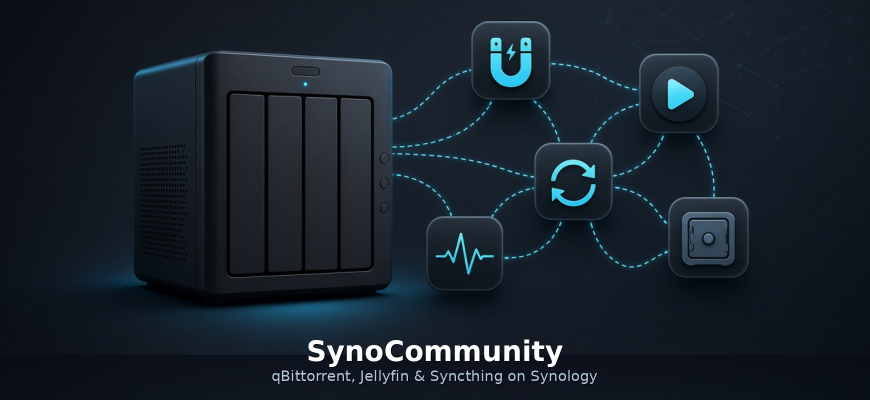


SynoCommunity is a community package repository for Synology DSM. The official Package Center ships plenty of Synology software, but not always what you need day to day. SynoCommunity adds third-party apps to Package Center that install almost like stock packages.
Below: how to add the repository and the packages I actually use — mainly qBittorrent, Jellyfin, and Syncthing. The catalog has many more popular apps listed separately. Important: these are native DSM packages without Docker, and they are updated regularly through Package Center.
Add the SynoCommunity repository
- In DSM open Package Center.
- Top right → Settings.
- Tab Package Sources → Add.
- Enter:
Name:SynoCommunity
Location:https://packages.synocommunity.com - Save and close Settings.
A Community section appears in Package Center’s left sidebar — that is where SynoCommunity packages show up. On DSM 7 you will usually see a warning that the package is from third-party developers and not verified by Synology; that is expected for a community repo.
Official install guide: docs.synocommunity.com.
qBittorrent instead of Download Station
Synology’s stock torrent client (Download Station) is fine for many cases, but I switched to qBittorrent from SynoCommunity long ago. For me it is:
- faster and more stable on long seed sessions and large queues;
- better Web UI (categories, filters, limits, RSS);
- has smartphone apps to manage torrents remotely (add, pause, priorities) without fighting Download Station from a phone.
Install
- Package Center → Community → find qBittorrent → Install.
- After install, open the package and note the Web UI URL (often port
8080or whatever the package page shows). - Sign in to the Web UI (default credentials are on the package page — change them immediately).
- Set download folders on the right volume (e.g.
/volume1/downloads), listening port, and Web UI account as needed.
If you no longer need Download Station, stop or uninstall it so you do not run two clients or mix download folders.
On the phone, install a qBittorrent Web UI client from the app stores (pick one that supports your NAS address / reverse proxy and HTTPS if you use it).
Jellyfin — media library on the NAS
Jellyfin from SynoCommunity is a self-hosted media server: movies, shows, and music from Synology disks, no subscription. Install from Community → Jellyfin → Install, then finish the browser wizard: libraries on your media folders, users, clients on TV/phone.
It pairs well with qBittorrent: download into a shared folder → Jellyfin picks up the files. Give the package proper permissions on the shared folders.
Syncthing — sync without a public IP
Syncthing syncs folders between devices peer-to-peer. Especially useful when you have no public (white) IP and do not want to expose the NAS just for “cloud” sync:
- phone ↔ NAS, laptop ↔ NAS, second site ↔ first;
- Syncthing relays/discovery often work without manual port forwards or a personal VPN;
- data moves between your devices without requiring a third-party cloud disk.
Install: Community → Syncthing → Install → open Web UI → add a folder and the other device’s Device ID. On phone/PC use the official Syncthing client and approve pairing on both sides.
What else is in the repo
The SynoCommunity catalog has dozens of packages. Besides qBittorrent, Jellyfin, and Syncthing you will find popular apps such as:
- Vaultwarden — self-hosted password vault (Bitwarden-compatible clients). For passwords I use KeePassXC on desktop and KeePassDX on Android: I sync the database with Syncthing, including a copy/backup on the server. Vaultwarden is there if you want an always-on Bitwarden-style vault.
- Uptime Kuma — uptime monitoring for sites and services with a clean status dashboard.
- RustDesk Server — your own RustDesk relay/server for remote access without relying only on someone else’s infrastructure.
- Seerr (and related request managers) — movie/TV requests into a media stack.
- A full *arr suite for torrent/media automation (Sonarr, Radarr, and the rest) — nice next to qBittorrent and Jellyfin.
All of these are normal DSM packages, without Docker: install from the Community tab, update with the rest of Package Center, and SynoCommunity ships new versions regularly. Compatibility depends on NAS model and DSM version — the live list is always on the site and under Community.
Quick checklist
- Add source
https://packages.synocommunity.com. - Install qBittorrent instead of (or beside) Download Station — faster, more stable, easier remote control from a phone.
- Install Jellyfin for a home media library.
- Install Syncthing if you need file sync without a public IP.
- Grant packages access to the right shared folders and change Web UI passwords.
- Optionally add Uptime Kuma, RustDesk Server, Seerr, *arr, or Vaultwarden from the same repo — also without Docker.
Repository: packages.synocommunity.com · docs: docs.synocommunity.com.
No email, no trackers — just the update feed.